RingCentral - Mobile Whiteboard
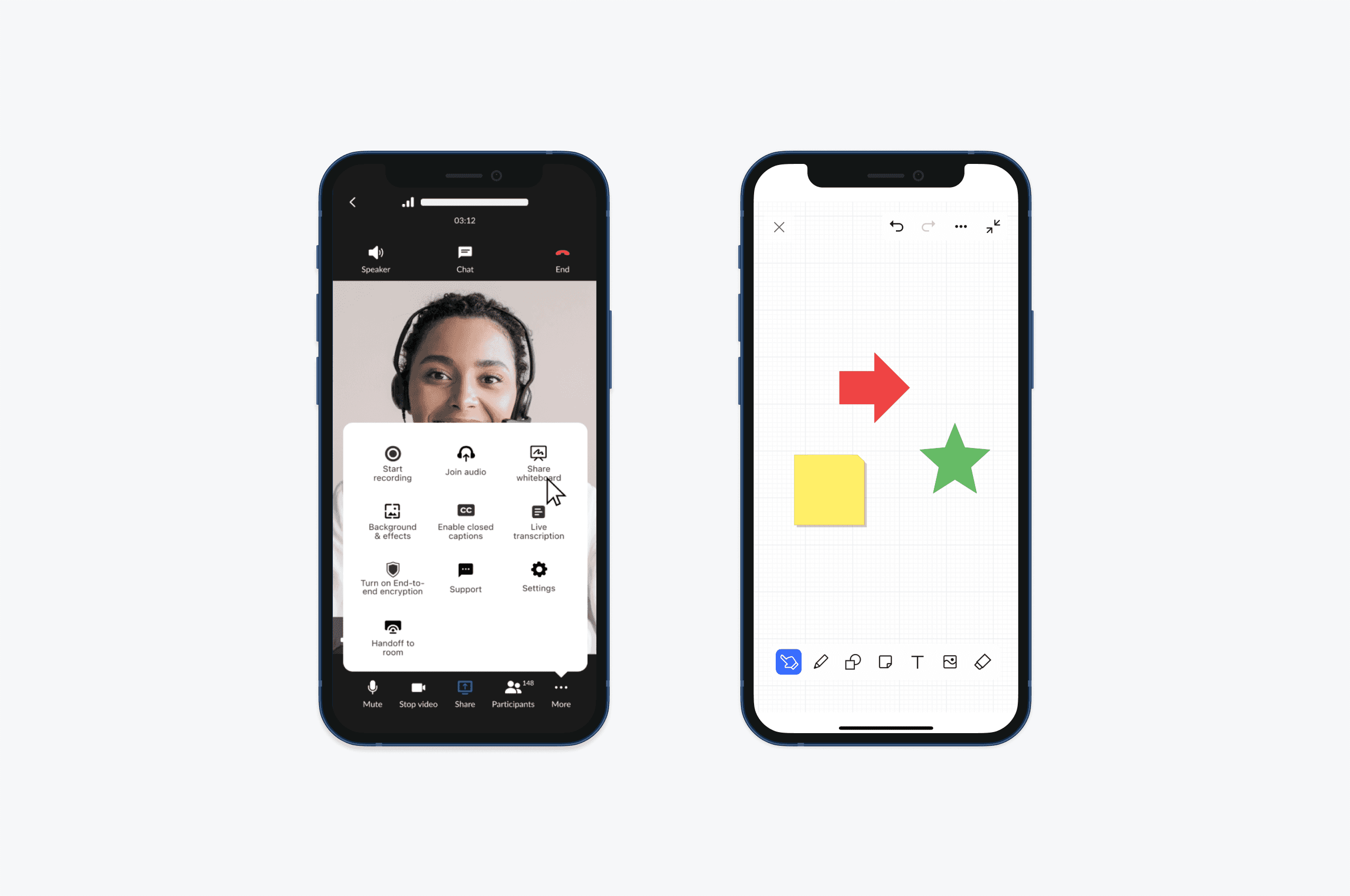
I spearheaded the design of the mobile whiteboard feature, guiding it from problem discovery to implementation. This feature enables virtual collaboration and real-time brainstorming, allowing teams to seamlessly create, share, and collaborate on whiteboards directly from their mobile devices.
Team
Video team
Year
2022
Role
Lead Designer
Problems
The RingCentral whiteboard feature was initially launched for desktop, leaving mobile users without access to this critical collaboration tool. As teams increasingly rely on mobile devices for on-the-go communication and collaboration, the lack of a mobile whiteboard experience creates a gap.
Goals
To design a mobile-optimized version of the whiteboard feature that maintains the core functionality of the desktop version while addressing the unique needs and constraints of mobile users.
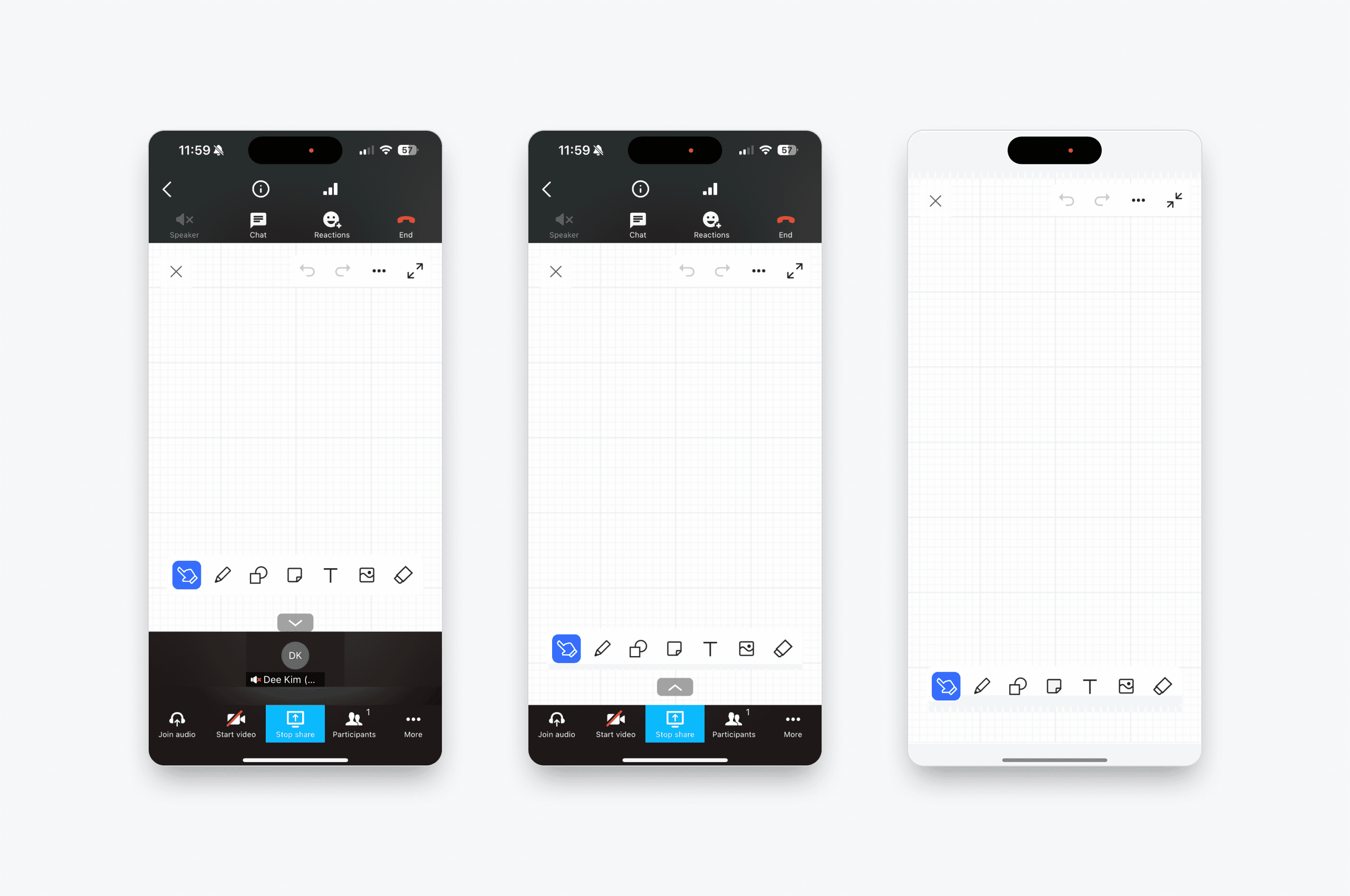
Final Design: Whiteboard Views
With Meeting Controls: Collaborate while keeping access to meeting controls for multitasking.
Hidden Participants' Video: Focus solely on the whiteboard by hiding video feeds.
Full Whiteboard Mode: Maximize workspace by hiding both controls and video feeds.
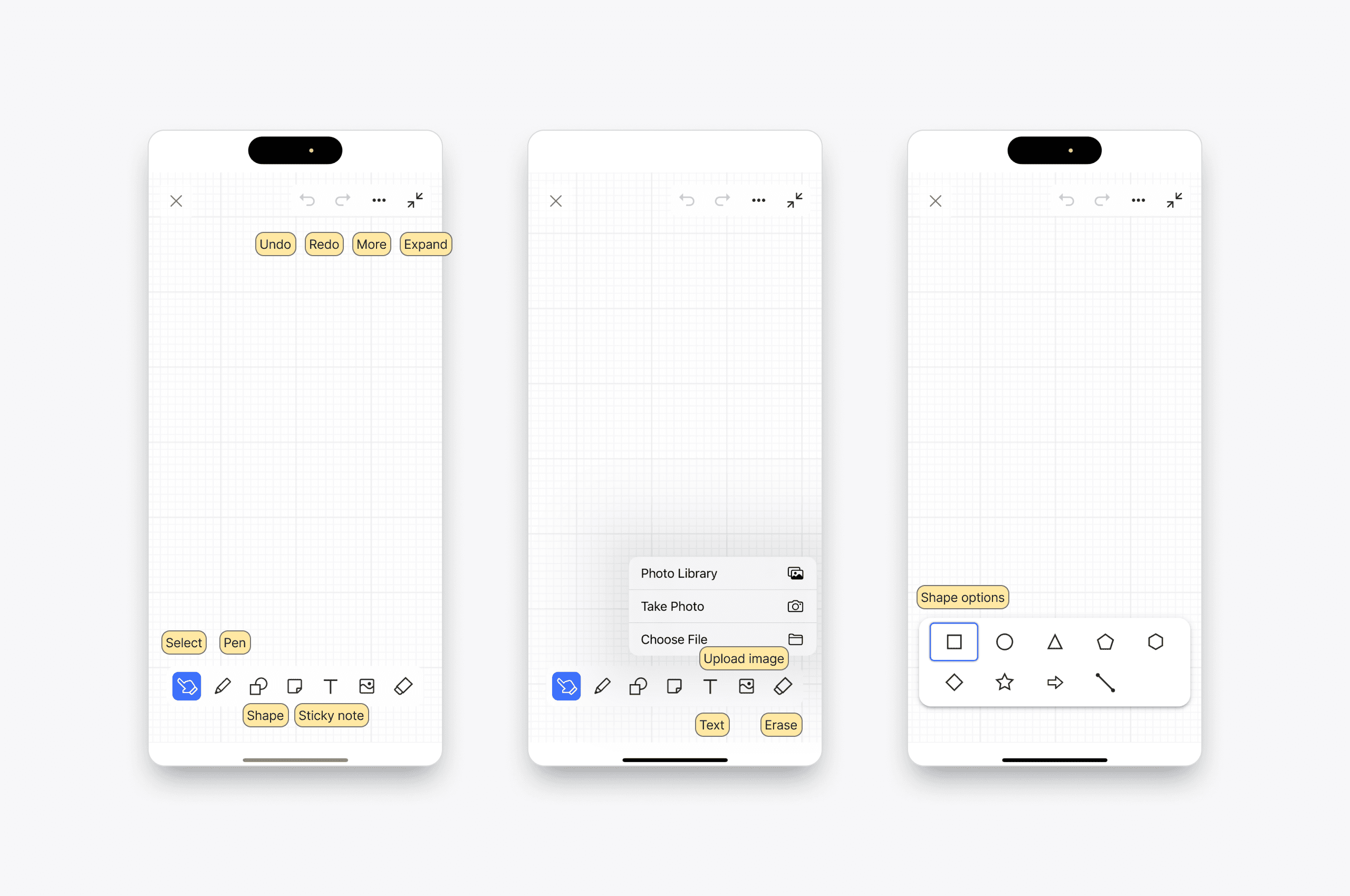
Final Design: Whiteboard Toolbar
Select Object: Easily choose and manipulate objects on the whiteboard.
Pen: Freehand drawing for quick sketches or annotations.
Shapes: Create predefined shapes with various options (e.g., circle, rectangle, triangle).
Sticky Notes: Add virtual sticky notes for brainstorming or highlighting key points.
Upload Image: Import images to enrich the whiteboard content.
Text: Add and edit text with flexibility.
Eraser: Remove objects or annotations selectively.
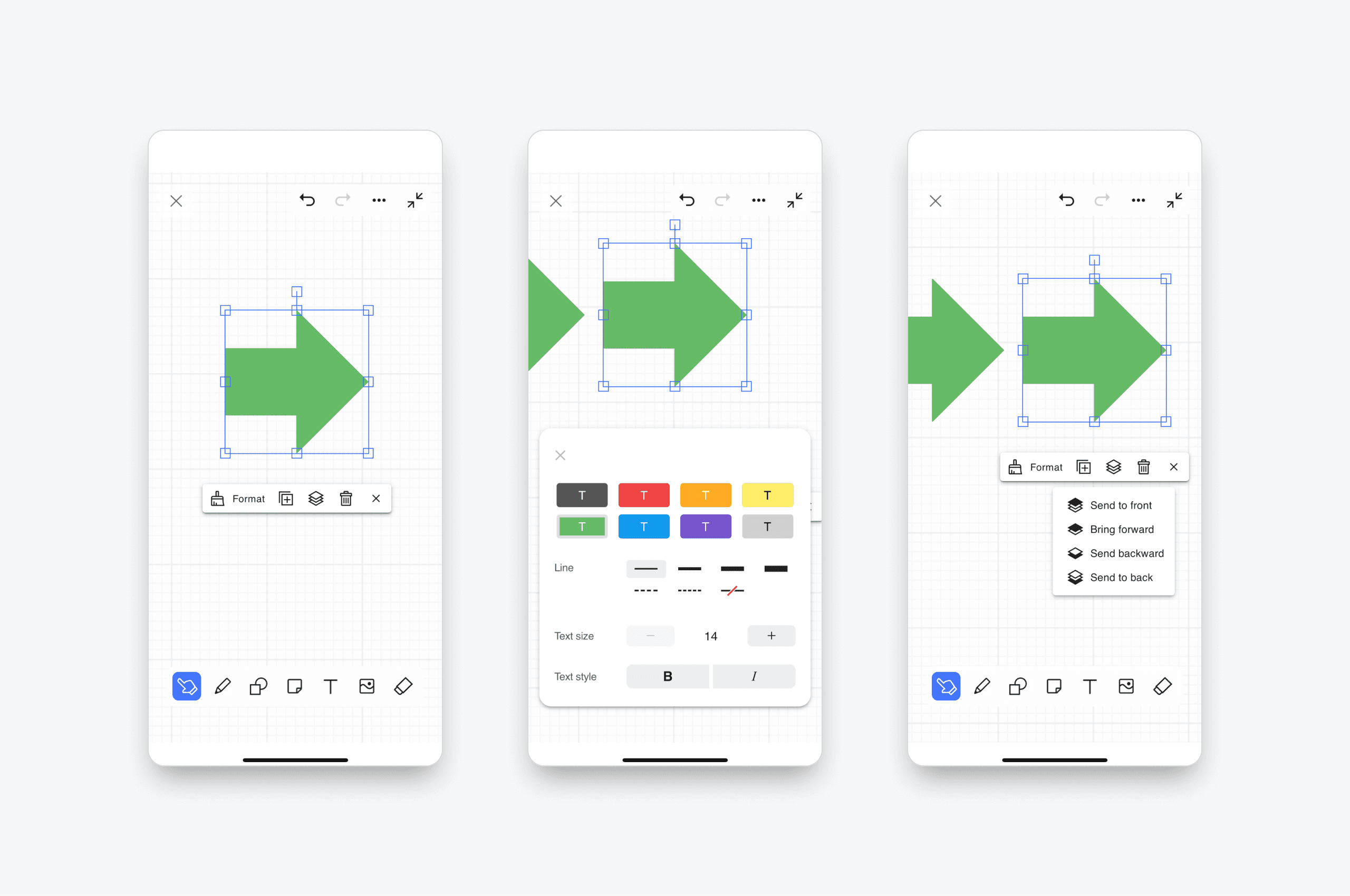
Final Design: Object Edit Toolbar
Color, Line, Text Size, and Style: Personalize the appearance of objects.
Duplicate: Quickly replicate objects or elements.
Layer Control: Adjust the order of objects for better organization.
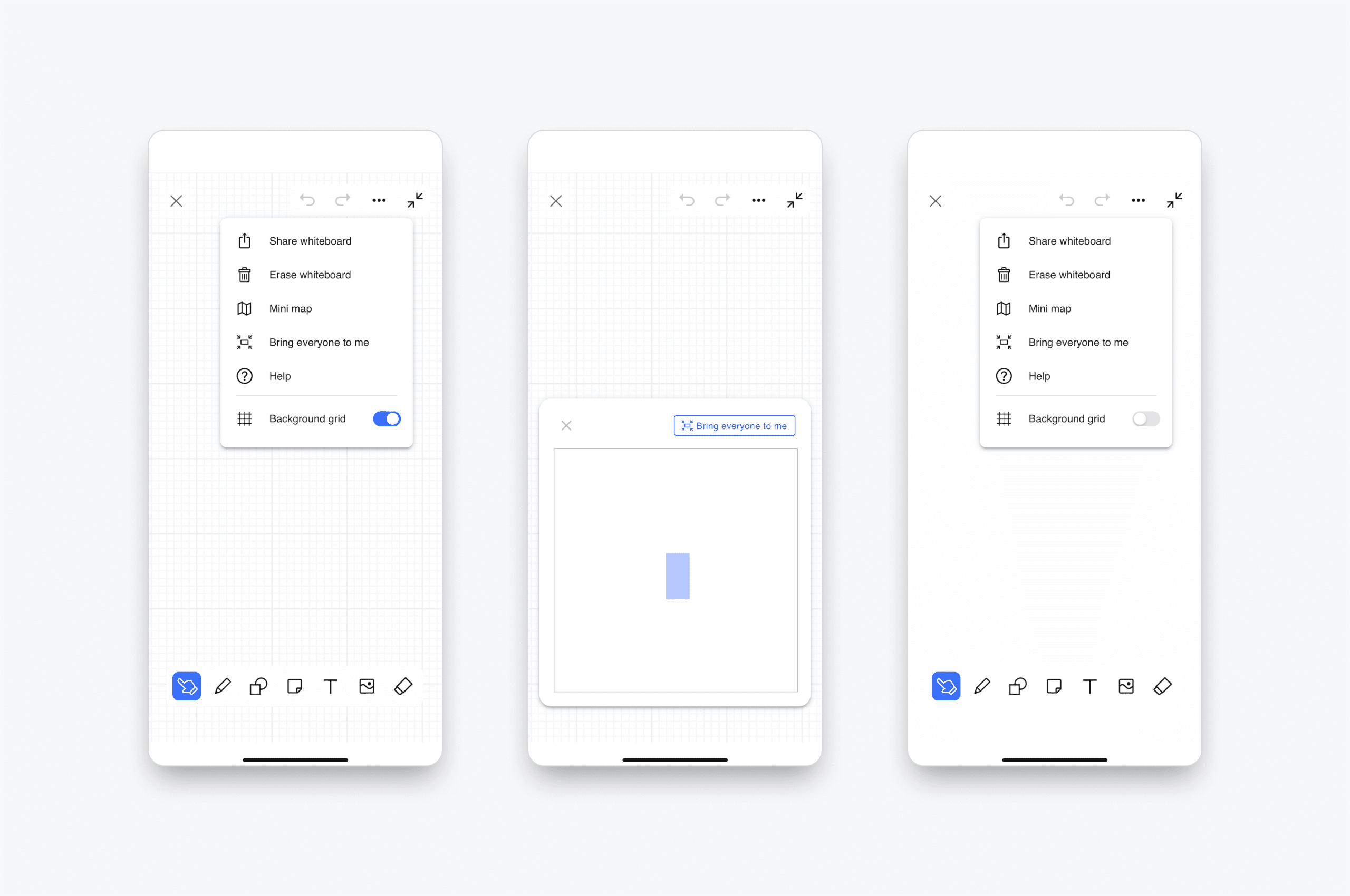
Final Design: Additional Features
Share Whiteboard: Easily share the whiteboard with team members for collaborative input.
Erase Whiteboard: Clear the entire whiteboard for a fresh start.
Mini Map: Navigate large whiteboards with a handy overview map.
Bring Everyone to Me: Align all participants’ views to your current workspace.
Background Grid: Use a grid for structured drawing and alignment.
This feature ensures a cohesive and engaging experience for teams, enabling effective collaboration anytime, anywhere.