RingCentral - Breakout Rooms
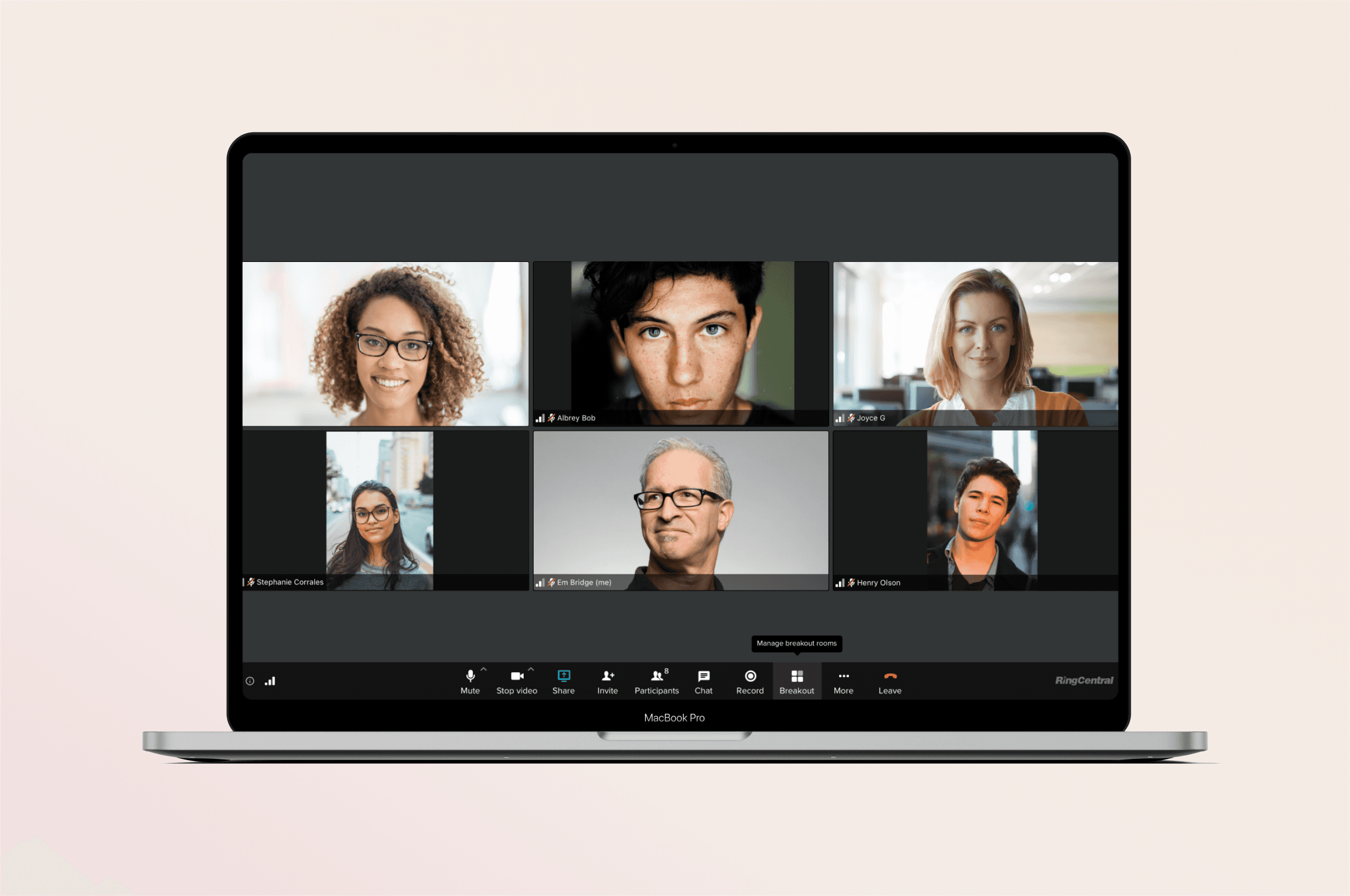
I led the design of RingCentral Breakout room feature from 0-1, from researching the problems to designing for implementation. It allows organizers to divide the meeting into sub-groups to facilitate discussions and brainstorming sessions.
Team
Video team
Year
2021
Role
Lead Designer
Context
In Q4 2020, I contributed to the RingCentral Breakout Rooms project, collaborating with a researcher, PM, and dev team. The goal was to create a feature enabling hosts and moderators to seamlessly split participants into separate meetings from the main session. This functionality supports attendees in sharing ideas, collaborating on projects, and networking, while also empowering educators to organize training sessions by breaking students into smaller, focused groups.
Problems
During virtual meetings, hosts and moderators often struggle to facilitate effective small-group discussions, collaborative activities, or training sessions within a single large meeting environment.
This limitation hinders productivity, engagement, and learning outcomes, especially for educators, trainers, and team leaders who require tailored breakout spaces for focused collaboration.
Goals
Empowers hosts and moderators to efficiently divide participants into smaller, focused groups. By providing robust, user-friendly tools for managing and customizing breakout sessions, the solution will cater to diverse use cases, from corporate team meetings to educational training sessions, ultimately improving the overall user experience and meeting outcomes.
Research
Collaborated closely with the research team to uncover user pain points and needs related to the breakout room experience for both moderators and participants. Conducted over 20+ interviews with users across various group sizes to gain insights into their workflows, challenges, and desired features. This research provided valuable data on how breakout rooms could be optimized to enhance the experience for moderators managing sessions and participants engaging in discussions.
Design Solutions
Final Design: Shortcut and Simple Assign Participants
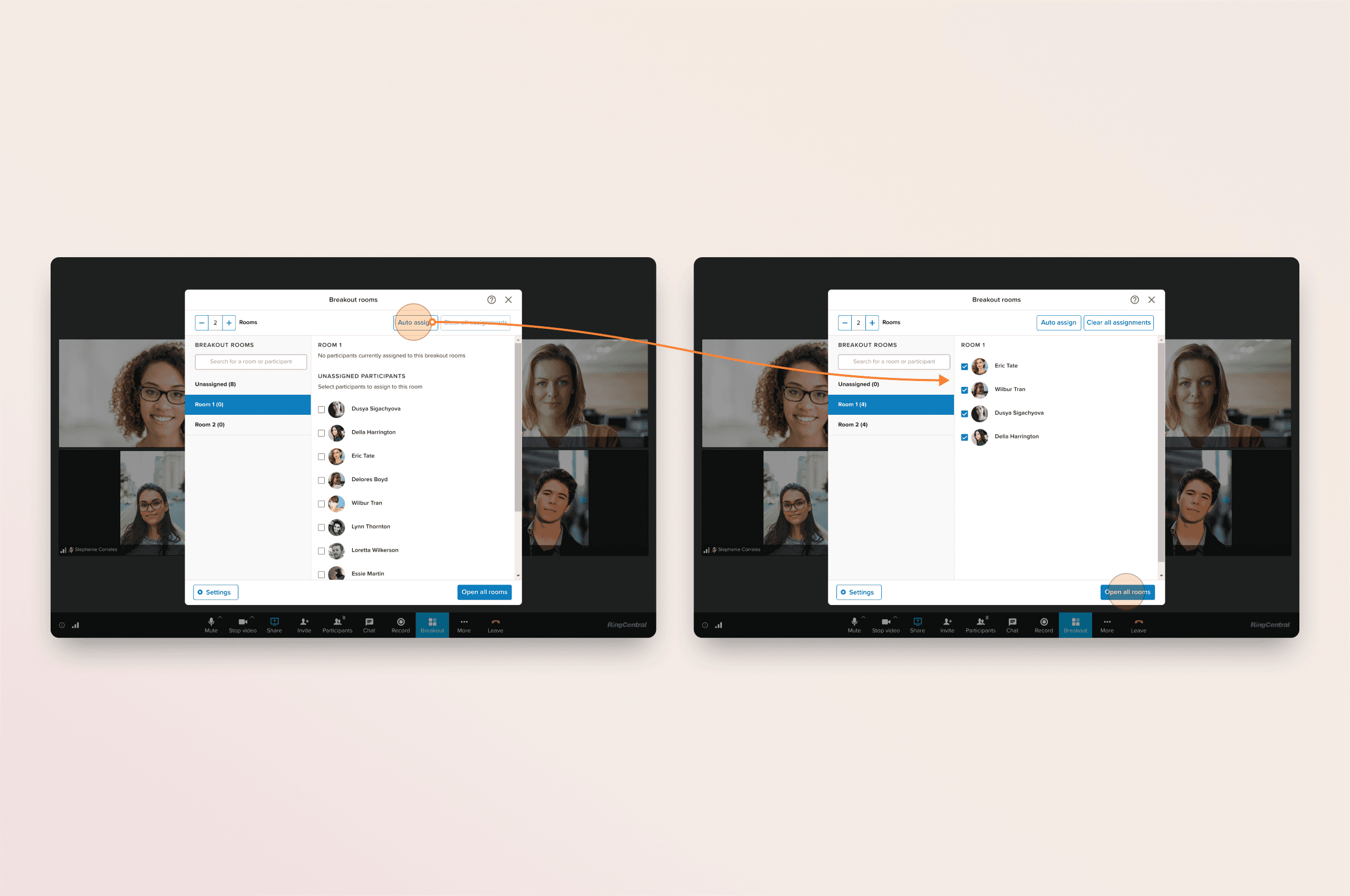
The auto-assign feature simplifies participant management by automatically assigning attendees to breakout rooms both before and during sessions, ensuring a seamless and efficient process.
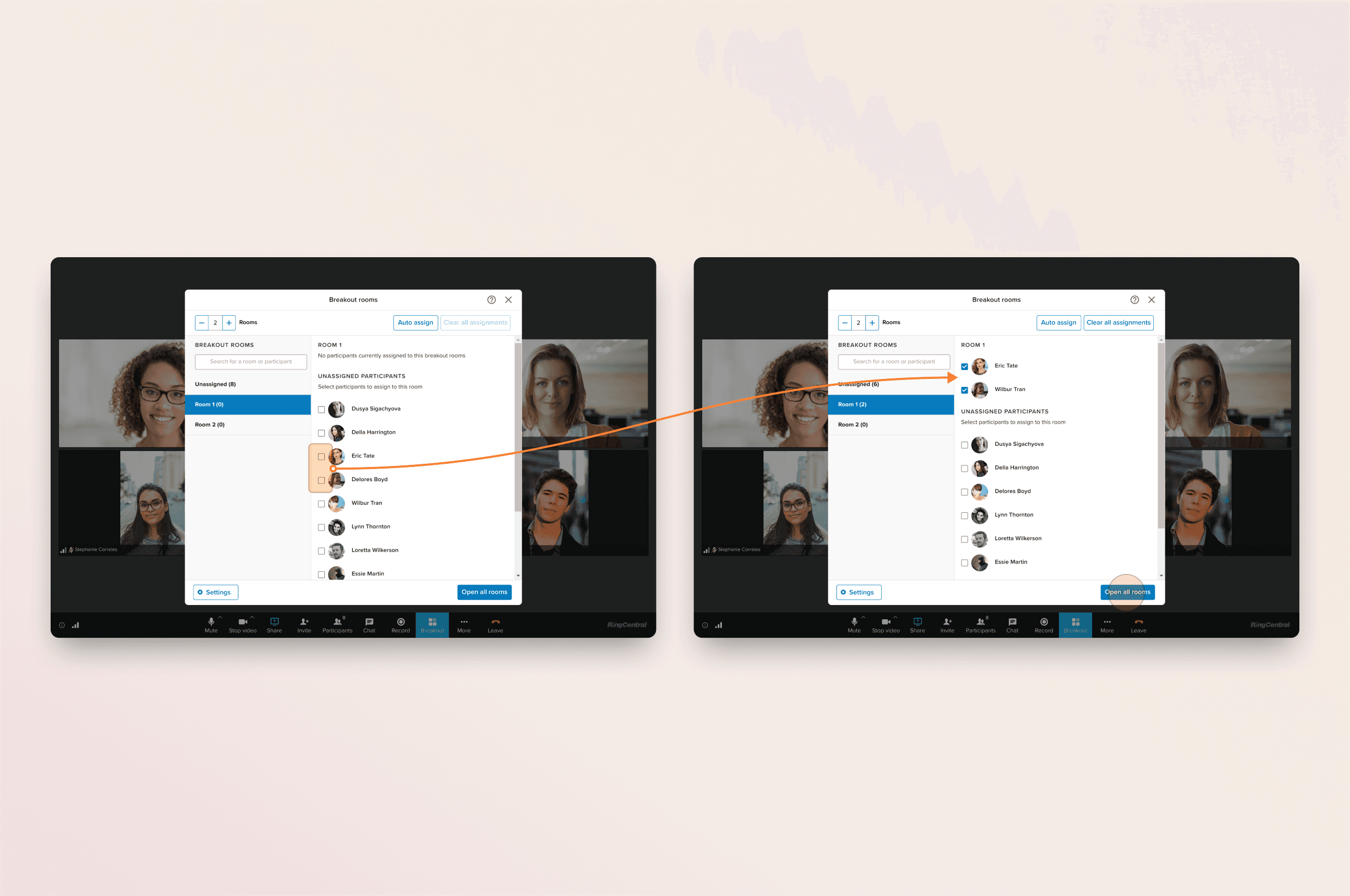
Simple manage breakout sessions by manually assigning participants and viewing a list of unassigned attendees, ensuring everyone is placed in the appropriate breakout room.
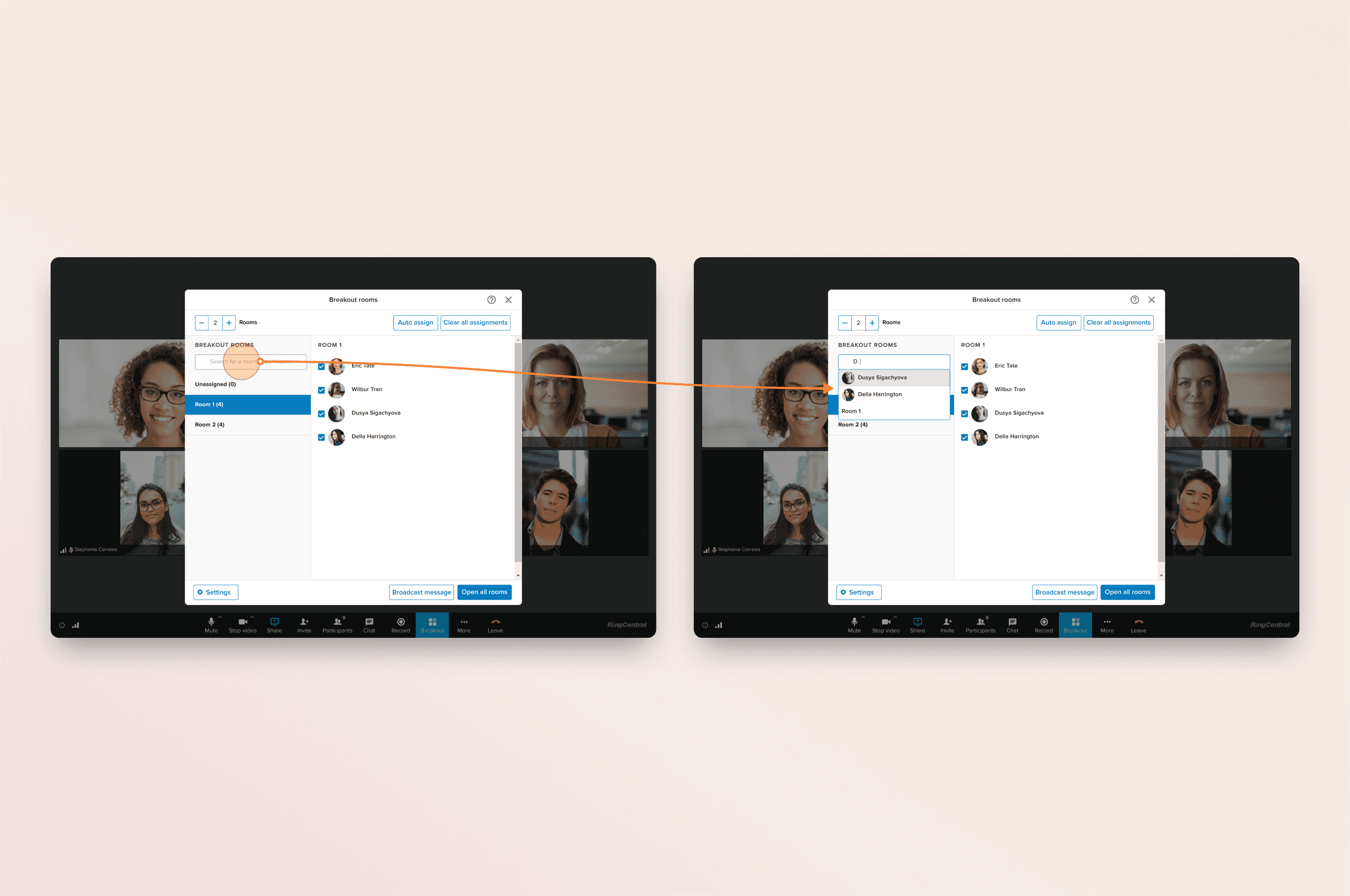
The search feature empowers moderators to efficiently manage large breakout room sessions by quickly locating and organizing participants.
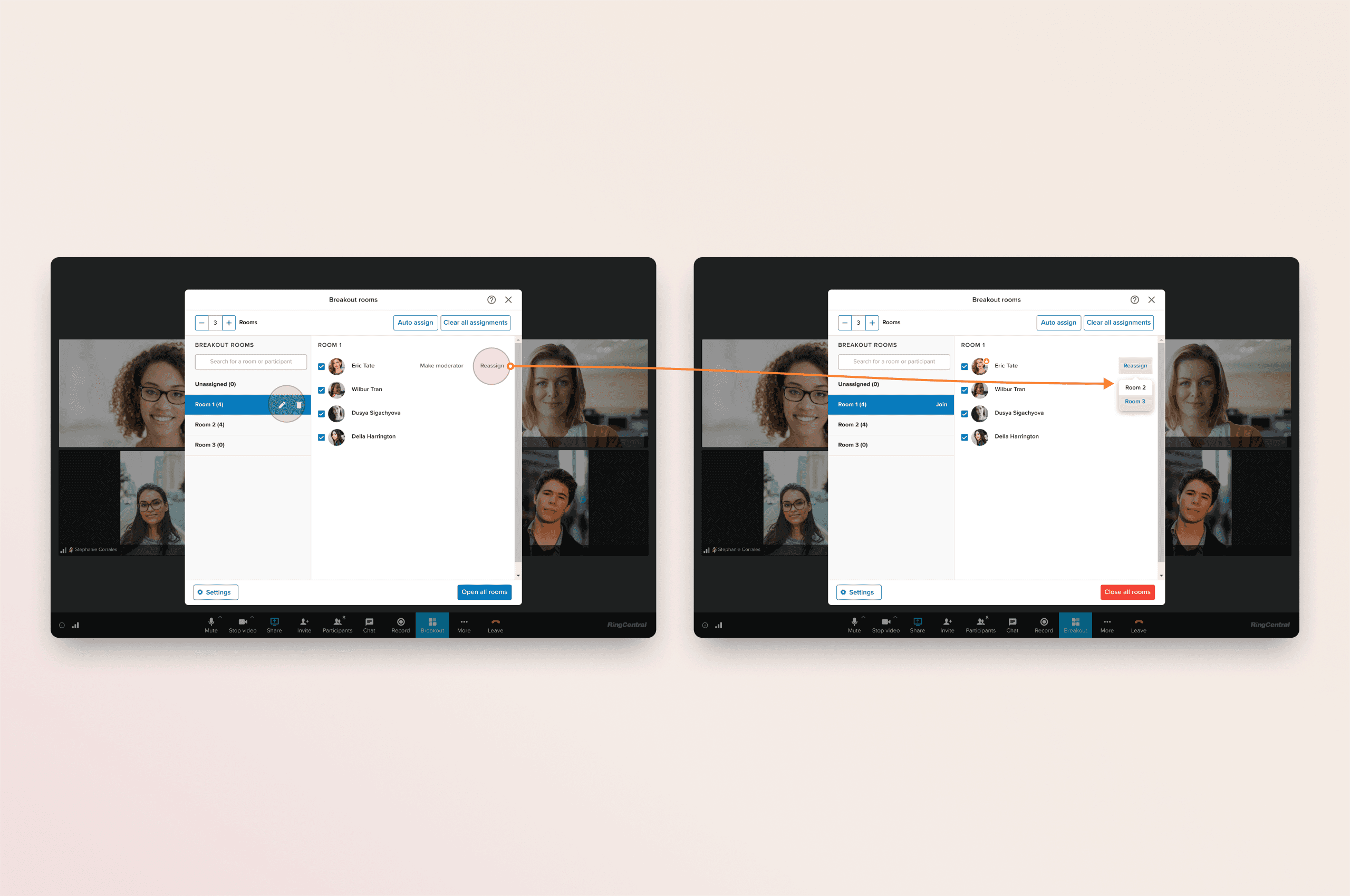
Manage breakout rooms with ease by editing, deleting, or reassigning participants to different rooms as needed.
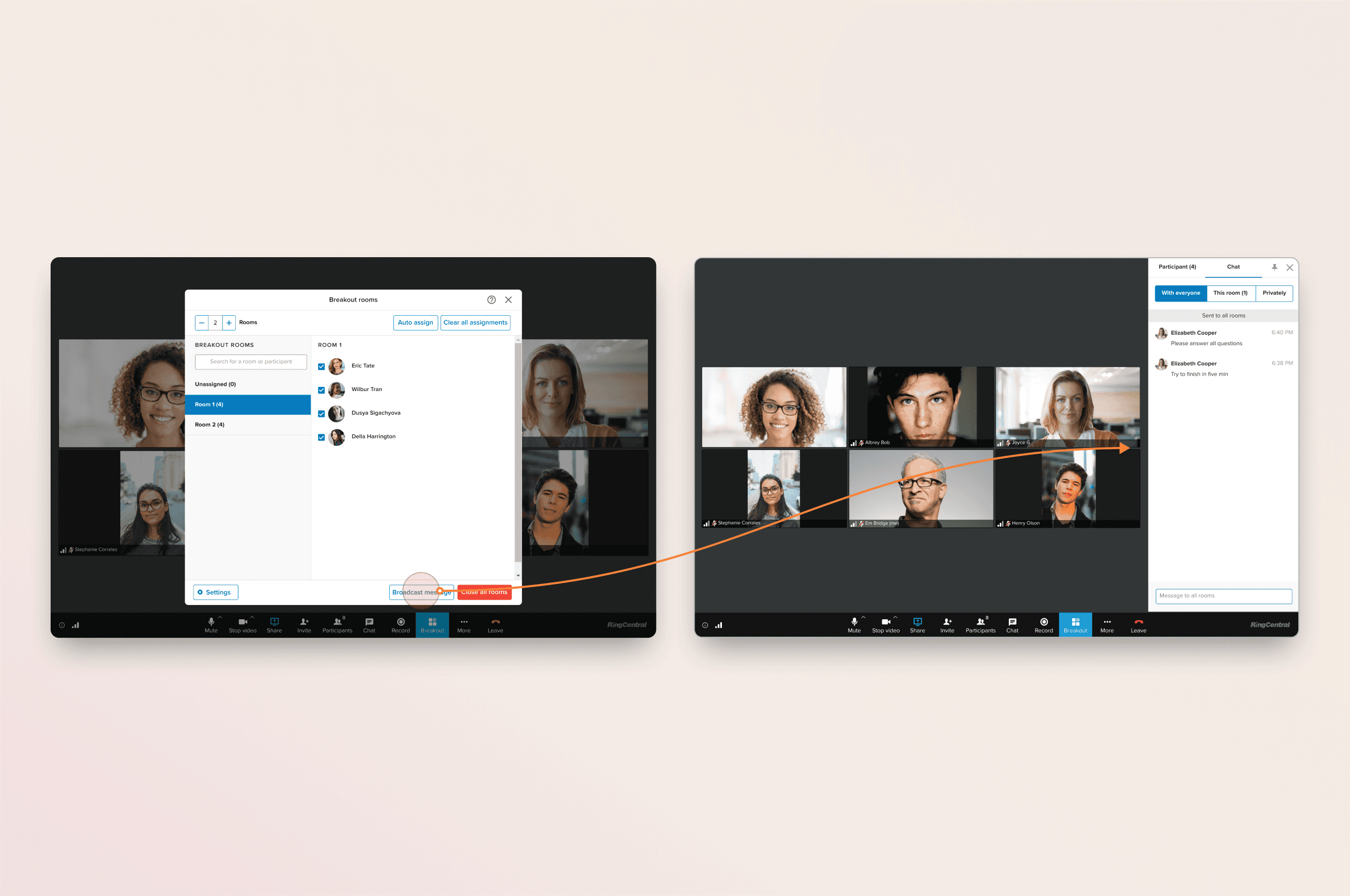
Easier communication during breakout sessions with broadcast and chat features, enabling moderators and participants to share updates, and coordinate group activities seamlessly.
Product Impact
After rolling out the customer Beta and achieving General Availability on 6/22/21, we received positive feedback from both alpha and beta test users. (Feedback collected over 6 months post-launch.)
1.1 hours
User engagement and the value provided by the breakout rooms in extended sessions.
66K
Demonstrates widespread utility and high participant involvement across sessions.
Learning
The main challenge was managing technical limitations related to fixed pricing, travel credits, and customer support costs. To address this, I collaborated with stakeholders to develop a design vision for an automated support experience, aimed at both short- and long-term improvements in rebooking. By working with the research team, we refined the rebooking experience to boost rebooking rates in the short term, while focusing on long-term solutions to reduce travel credit spending and automate customer support.